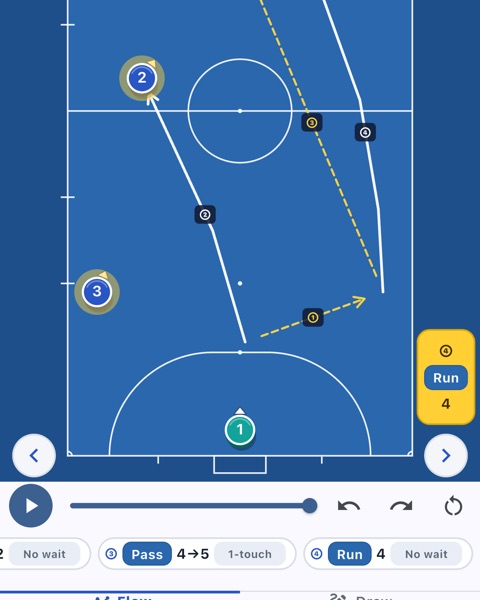
Making a play
Usual: Static arrows only, or moving every player frame by frame
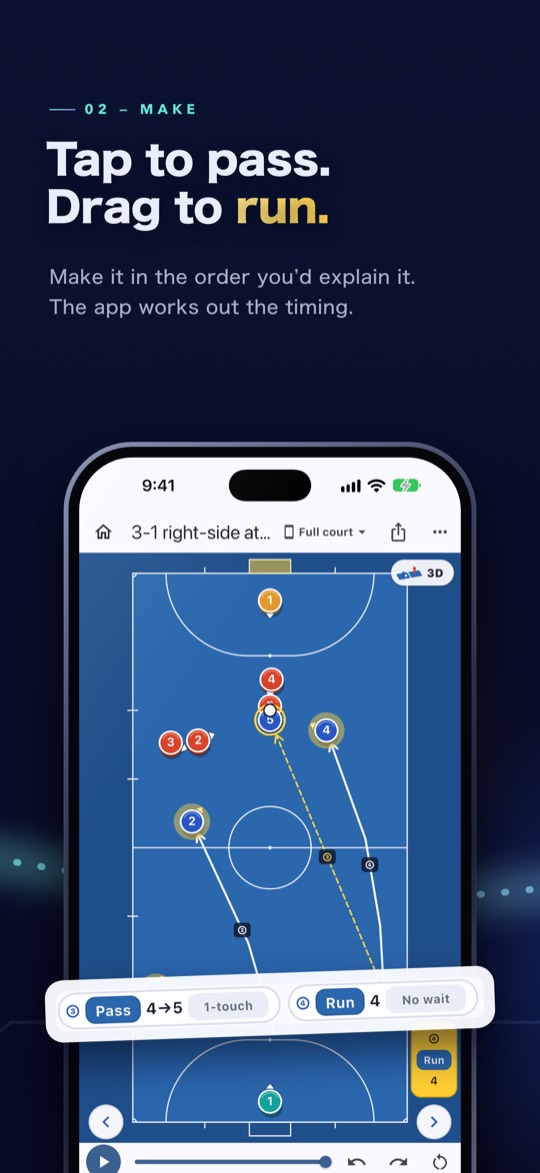
Tap and drag. The app works out the timing
AI tactics board for futsal
Why Futsal Flow
Making a play
Usual: Static arrows only, or moving every player frame by frame
Tap and drag. The app works out the timing
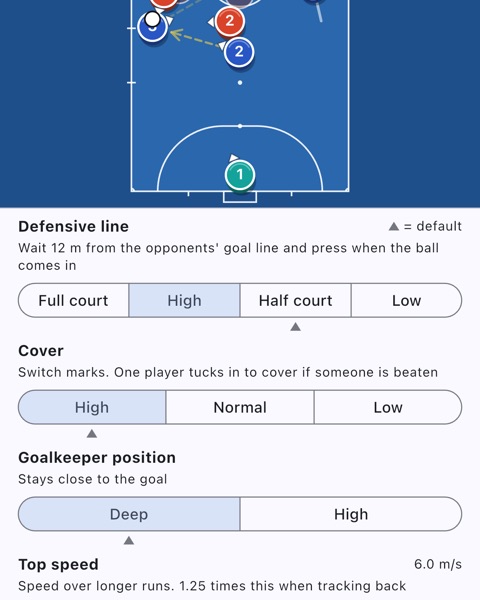
Defense
Usual: Defenders stand still, or you move each one manually
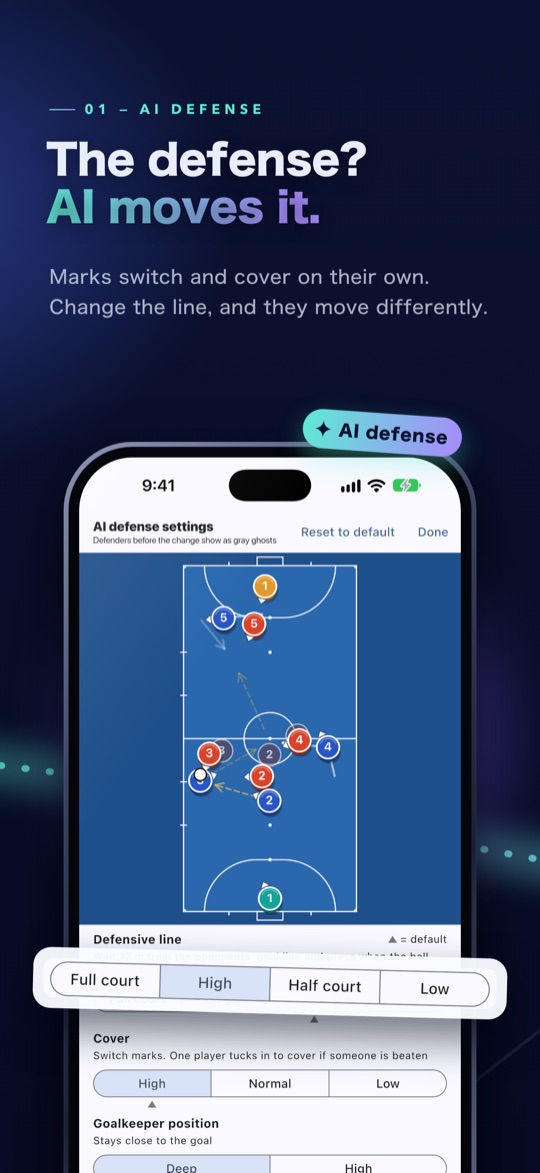
AI switches marks and covers as you attack
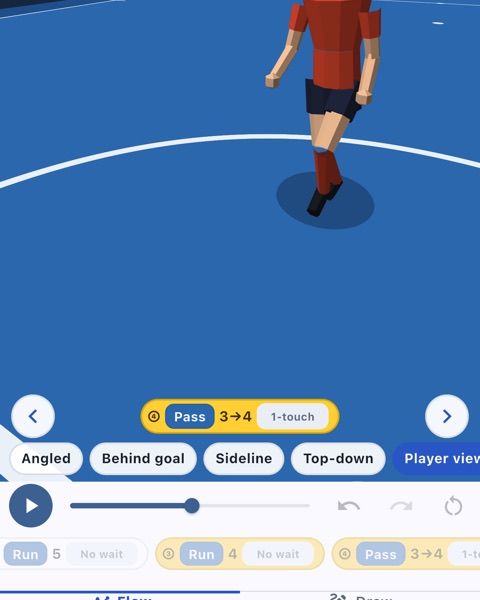
Point of view
Usual: Top-down view only
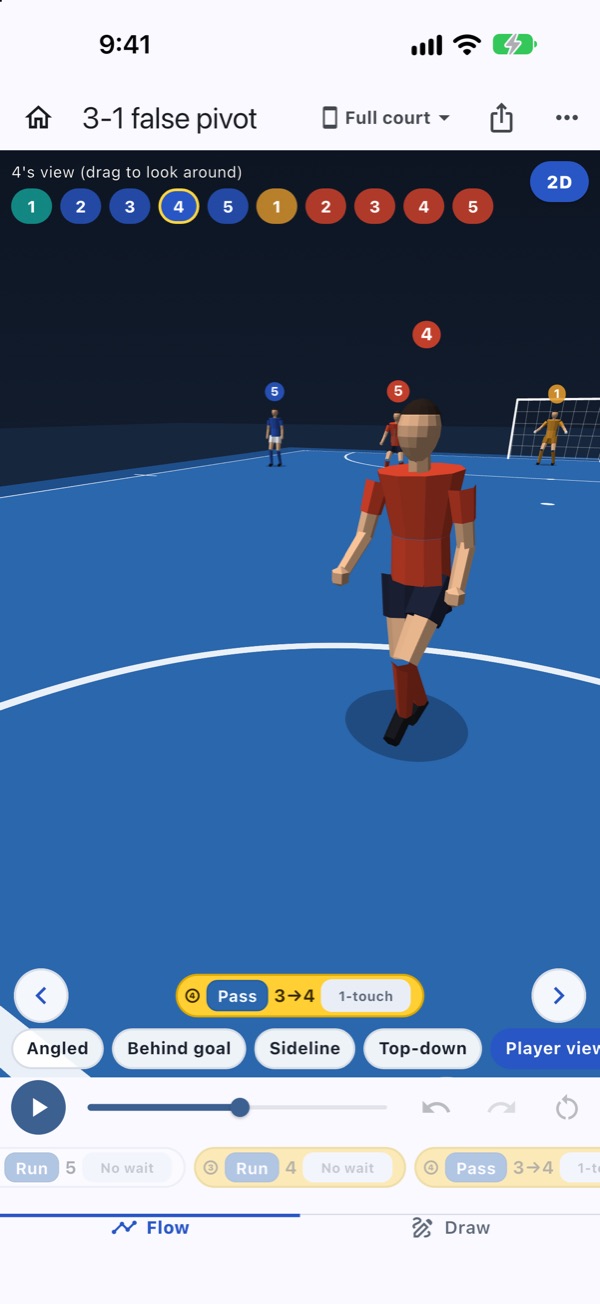
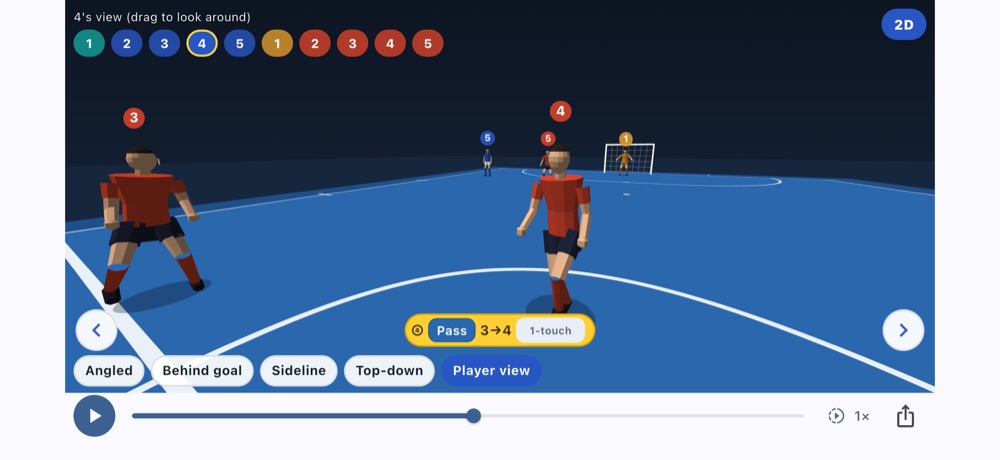
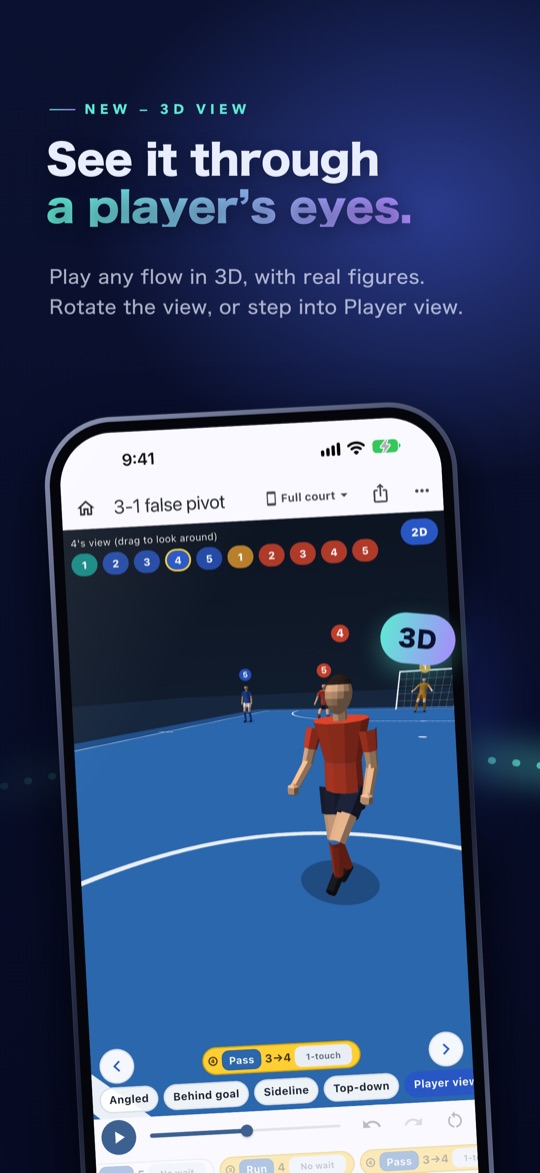
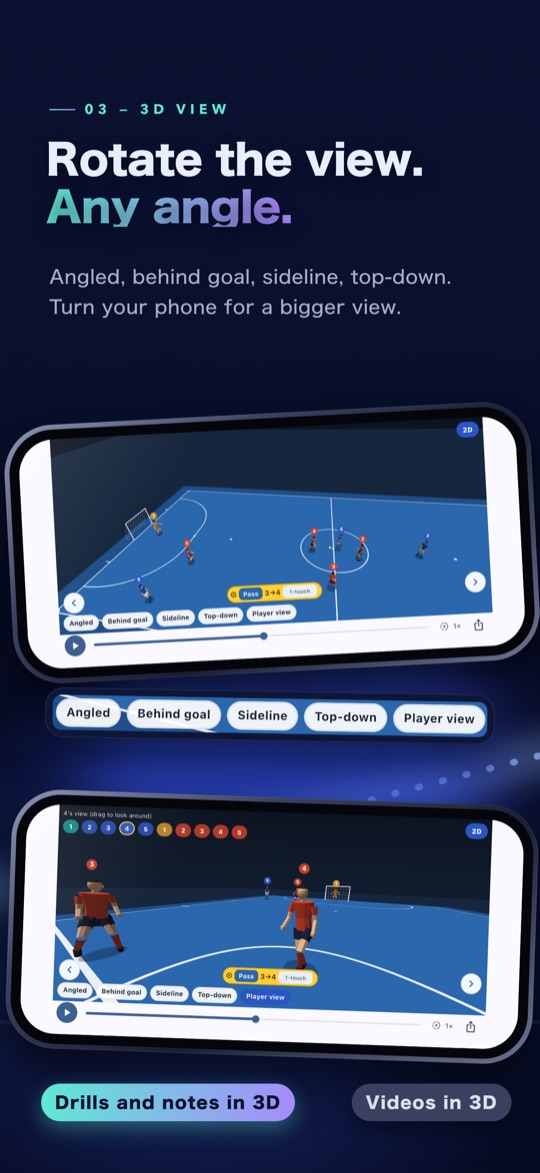
3D, right down to what a player sees
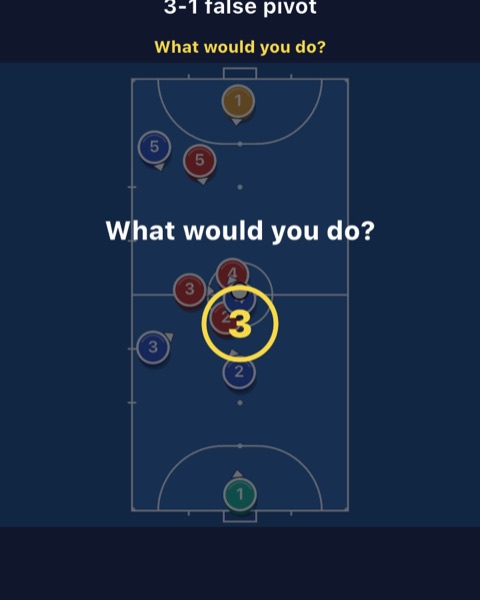
Sharing
Usual: Still images or screenshots
Send a video—including vertical videos and quizzes for social media
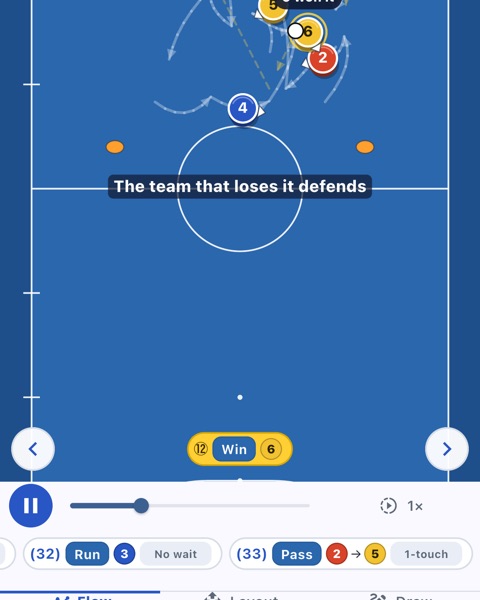
Drills
Usual: Static drawings on paper or a whiteboard
Drills come alive, right through to winning the ball
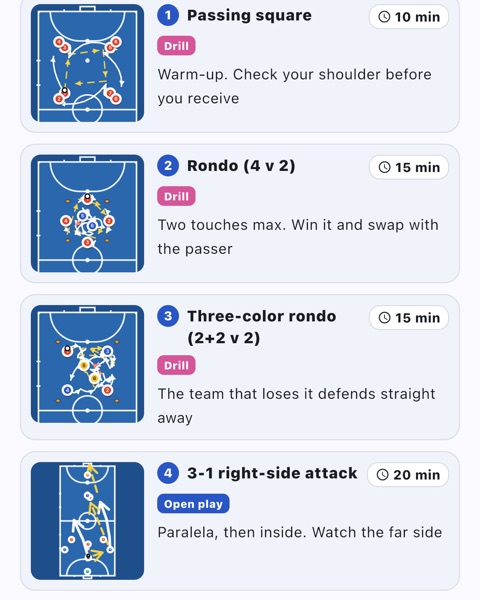
Showing it all
Usual: Drawings and videos scattered everywhere
Line them up in a note and play them all
01 — 3D view
Play any flow with realistic 3D figures. What's hard to judge from a top-down board—what that player can actually see—is right there in Player view.
02 — AI defense
As your attack develops, defenders switch marks and cover each other. The AI defense was built by translating core defending principles into logic, one by one: who to mark, when to hand over, and how to hold the ball line.
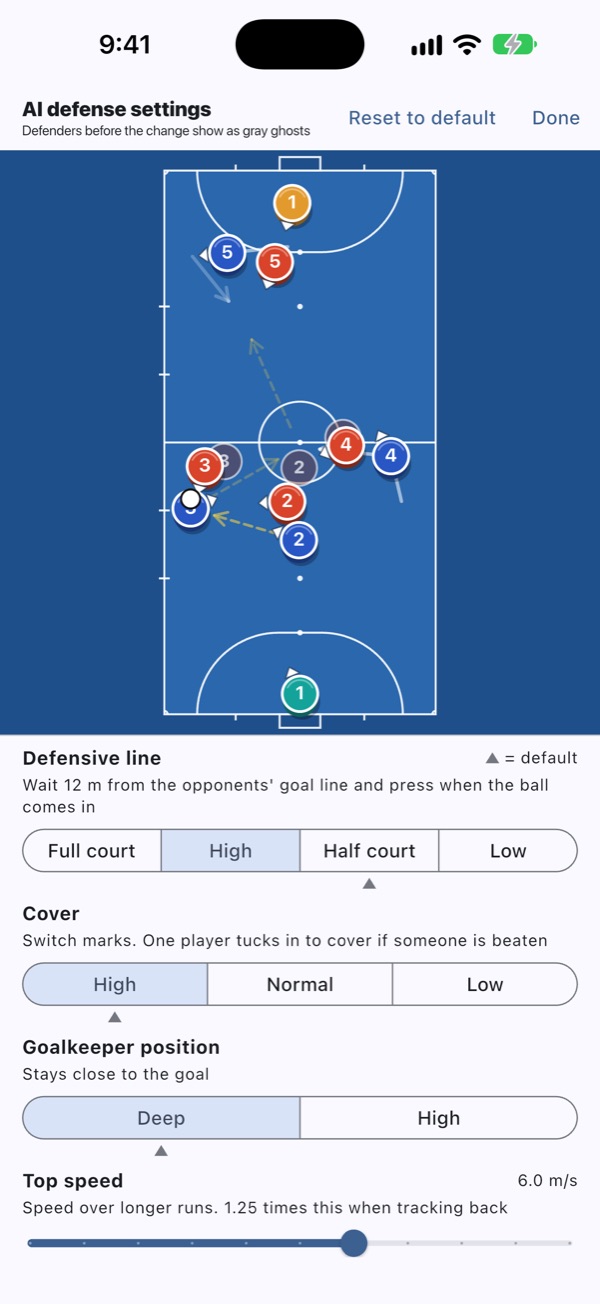

03 — Make
From the player on the ball, tap a teammate to pass or tap the goal to shoot. Drag a player along a path to run or dribble. Thread through balls into space beside a defender or in front of goal.
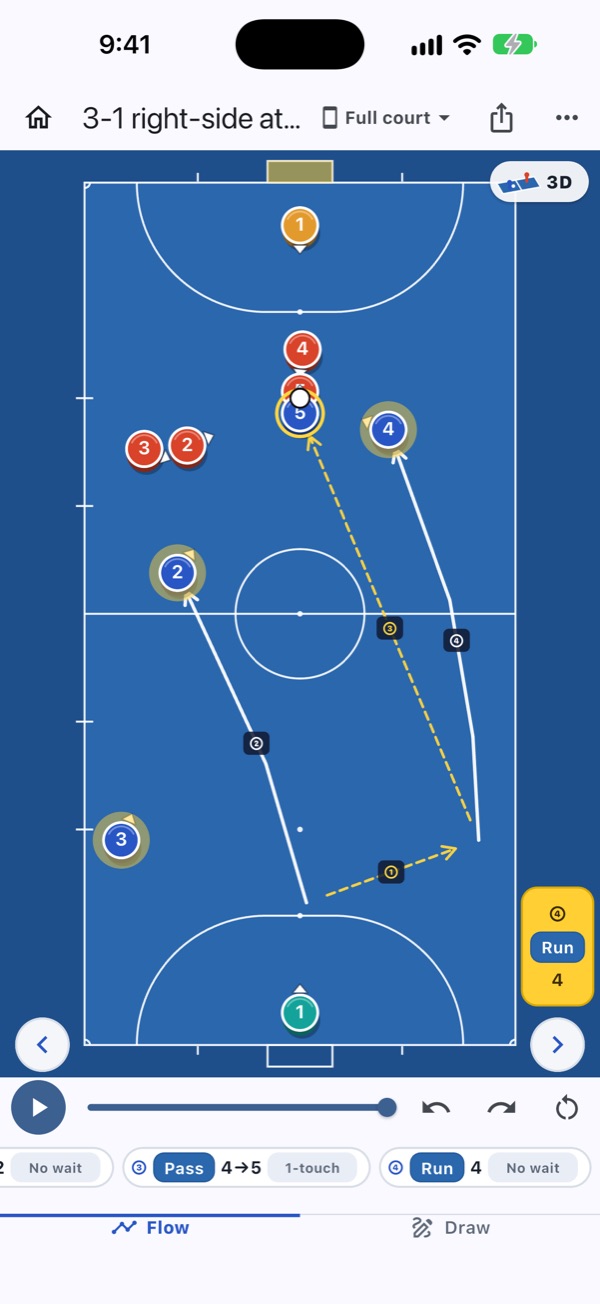

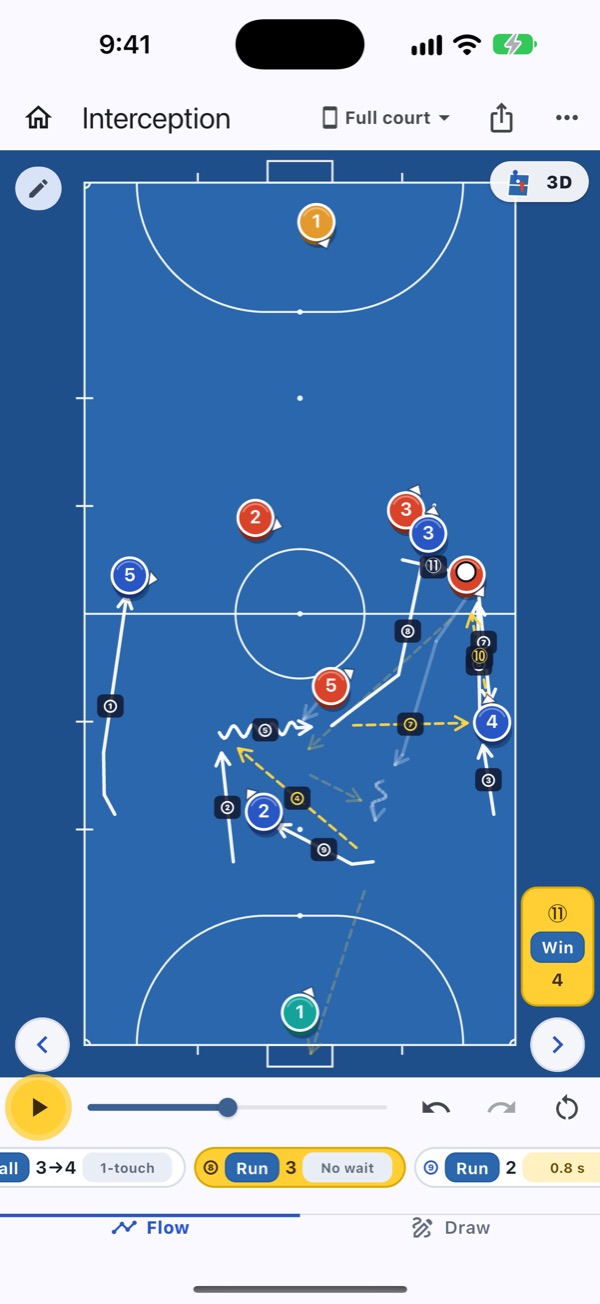
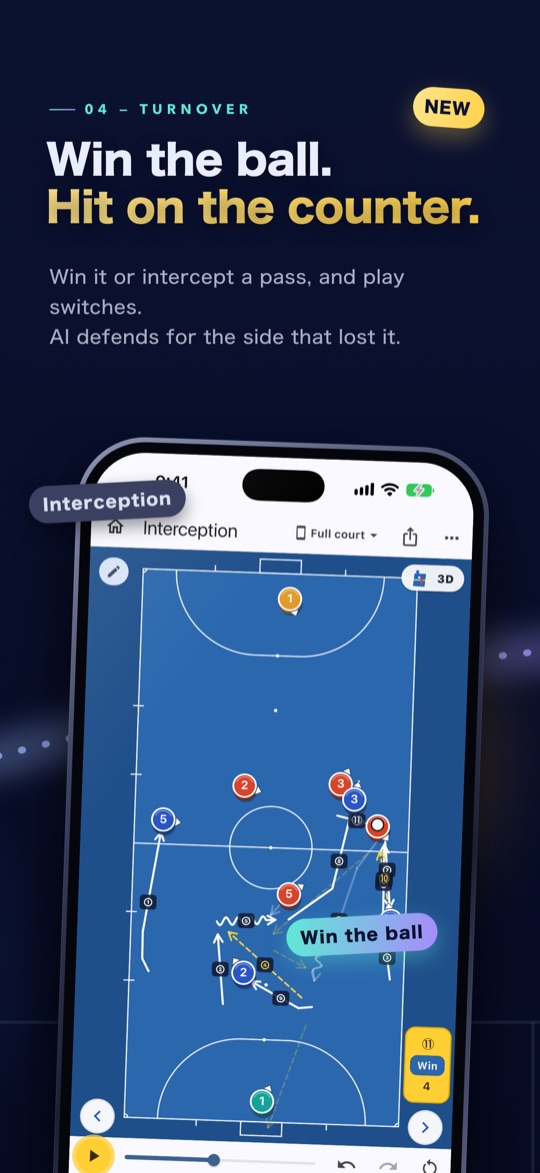
04 — Turnover
Tap a defender and choose "Win the ball" or "Intercept the pass": possession switches sides and the play continues. Build the counter-attack with the same taps and drags.
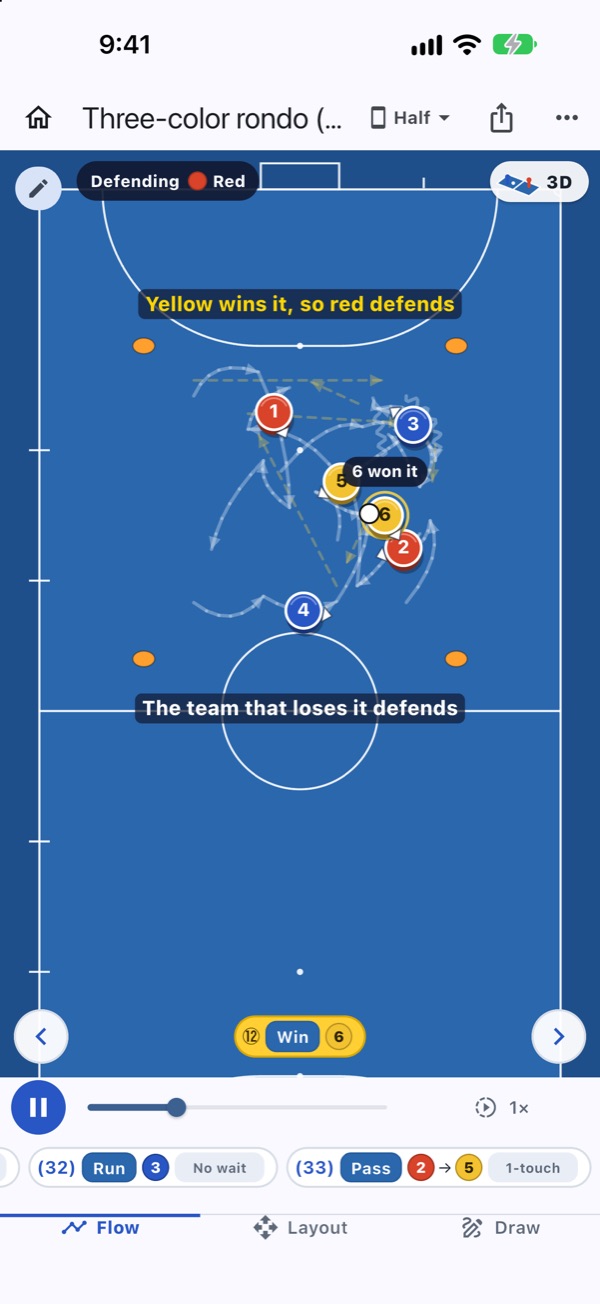
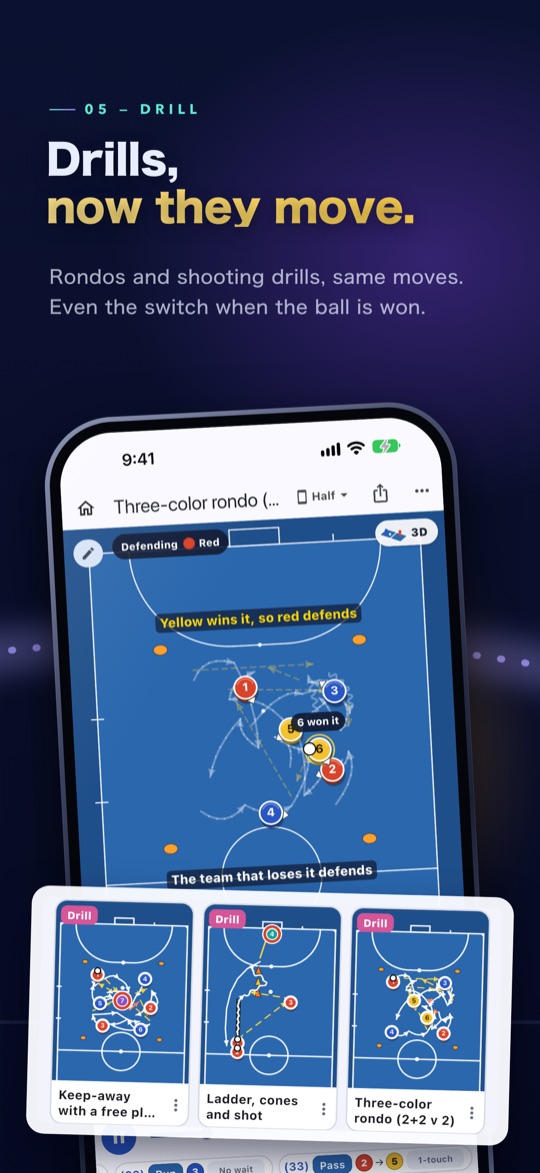
05 — Drills
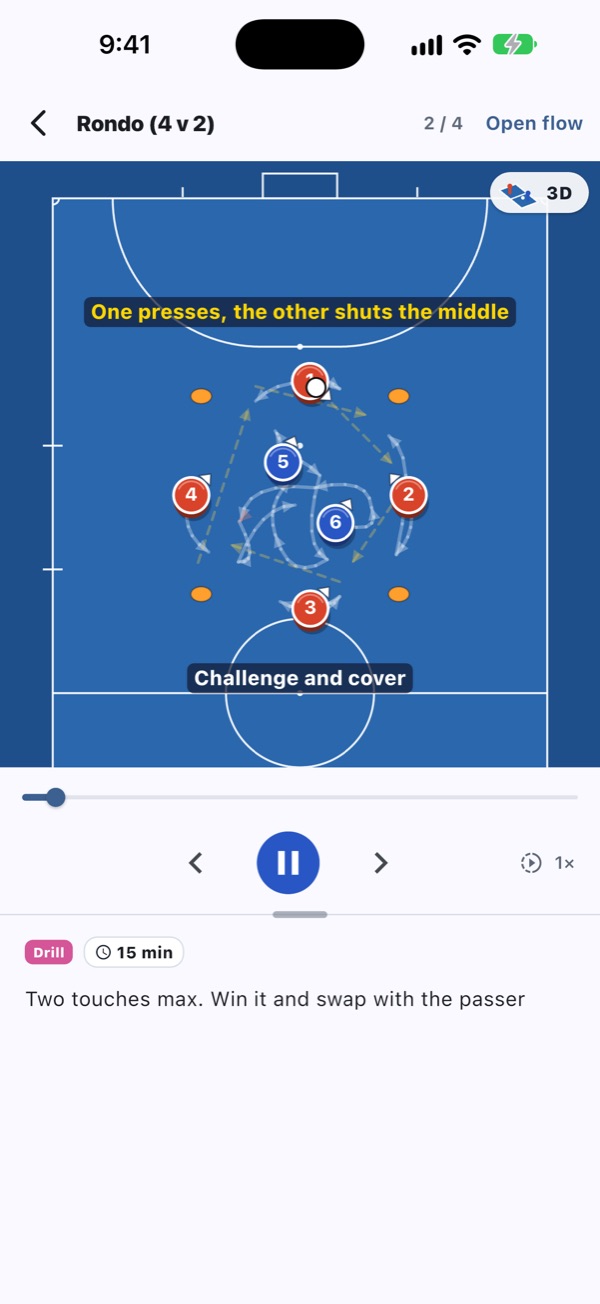
Choose "Make a drill" for rondos, passing squares, possession games, and shooting drills. It works just like a tactics flow: tap to pass, drag to run or dribble.
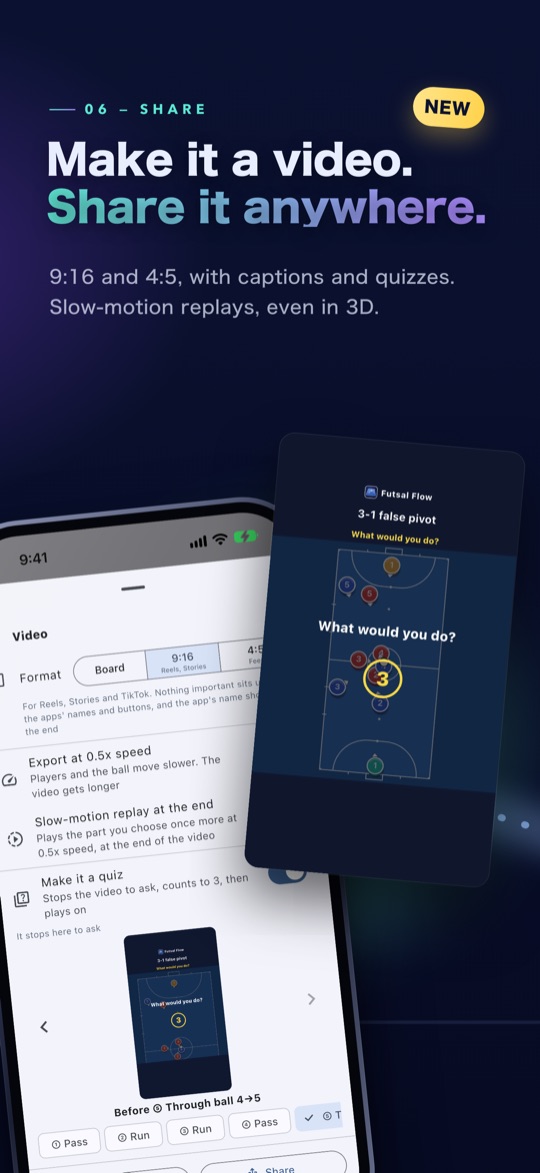
06 — Share
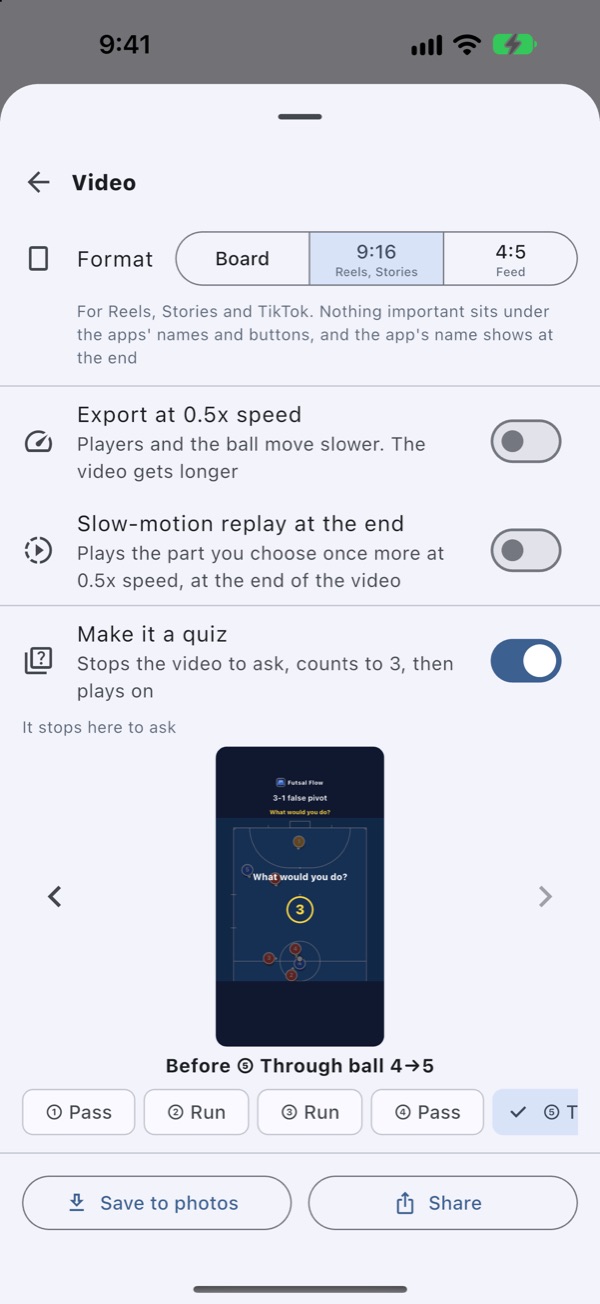
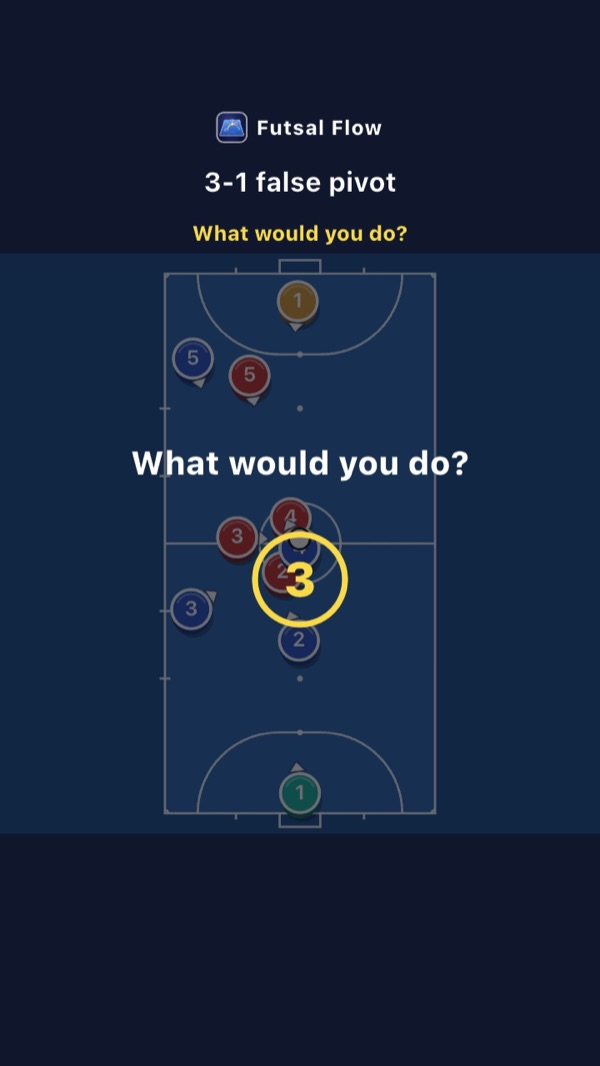
Export a flow as a video or image and share it in any messaging app. Format it vertically for Reels, Stories, and TikTok.
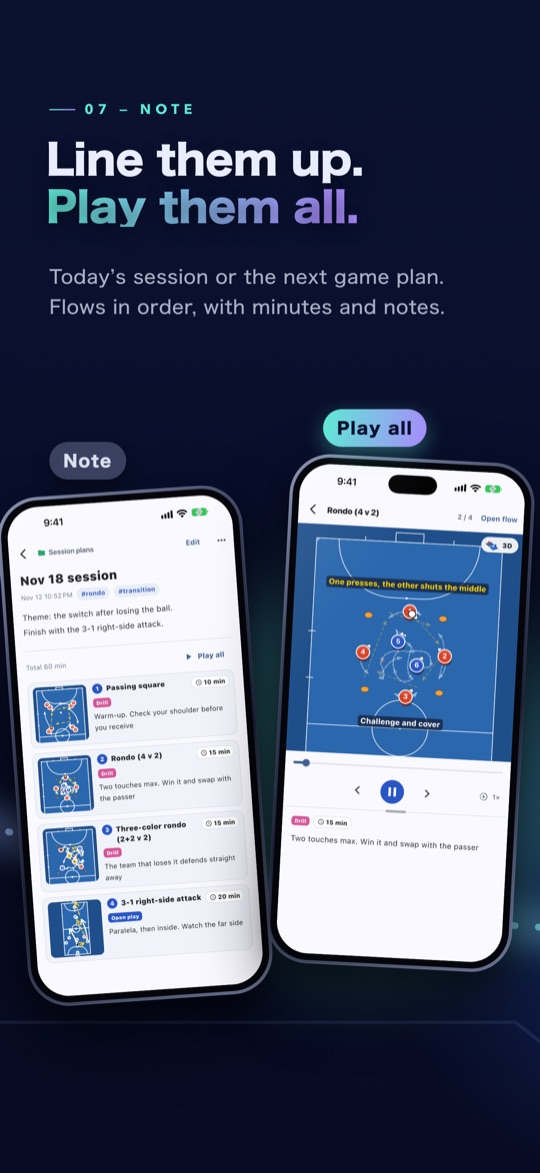
07 — Notes
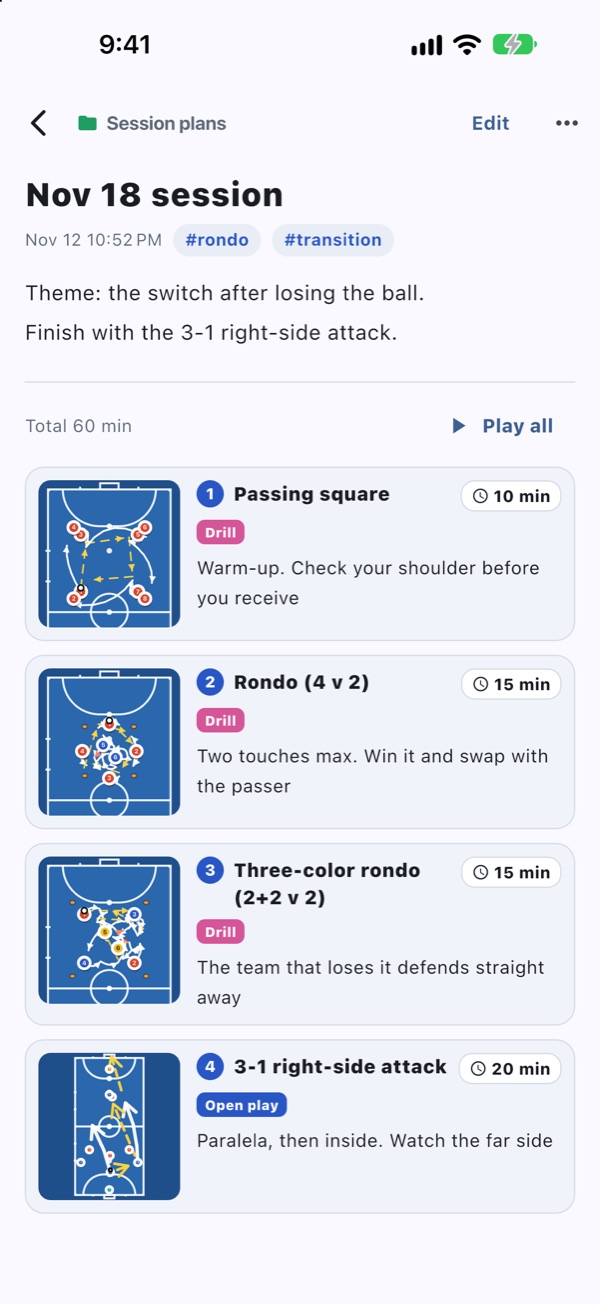
Combine multiple flows into a single note, each with duration and coaching notes. Run through today's training session or the next match's set pieces in order from one place.
Made for futsal
From the court dimensions to defensive rotations, everything is designed specifically for futsal.
One white court, a tap away on the home screen. Drag players and the ball, tap to pass or shoot, and draw with a pen. "System" lines your team up in 3-1, 4-0, and more in one tap, and you can add cones and markers. It stays as you left it, ready to explain something on the bench or in a meeting.
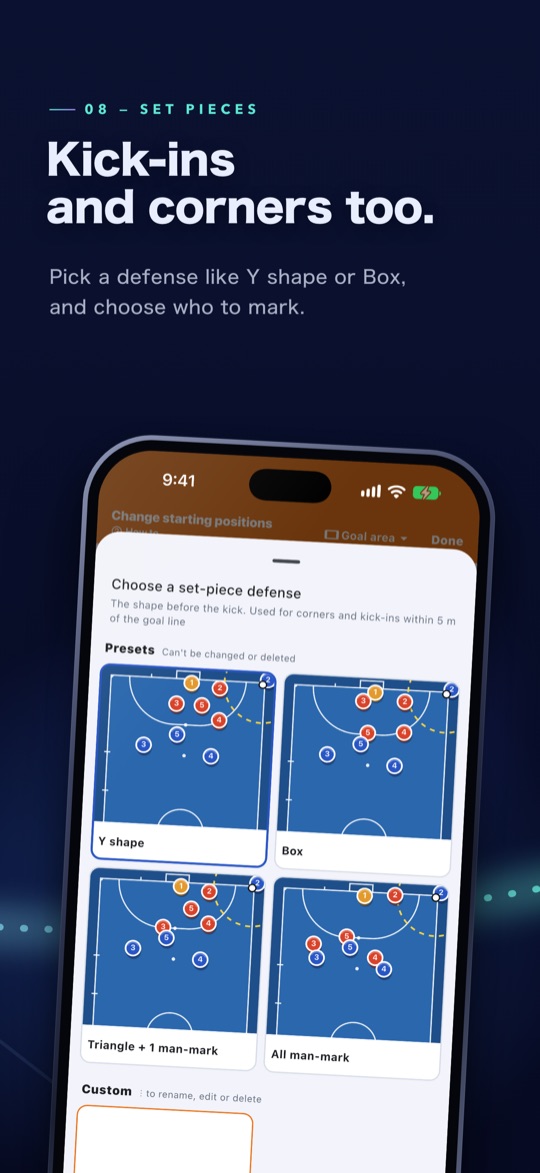
Start from 3-1, 3-1 (false pivot), 4-0, 2-2, or 2-1-1, and save your own formations. For kick-ins and corners, pick a set-piece defense (Y-shape, box, and more) and assign matchups.
Drag defenders manually when needed. Recreate what happened in a match as the original, build how it should have played out as the fix, and compare them using ghost overlays.
Pause the play and draw with a pen, arrows, circles, fills, text, symbols, distances, and shot cones. Like a TV tactics breakdown, link players with a line or highlight one with spreading rings; both follow the players as they move. 8 colors, and pinch to zoom while you draw.
Show the full court, a half court, the penalty area, or the center. Toggle lane and zone lines (3, 4, or 5) to coach positioning.
Display player names and squad numbers on the board. Make a 1st and a 2nd quartet and swap all four field players in one tap, or show the same tactic with each quartet's names in a note or video. The goalkeeper can join the attack too, and when the keeper comes up, the AI defense switches to a power-play zone. Add many players at once and send your team as a file.
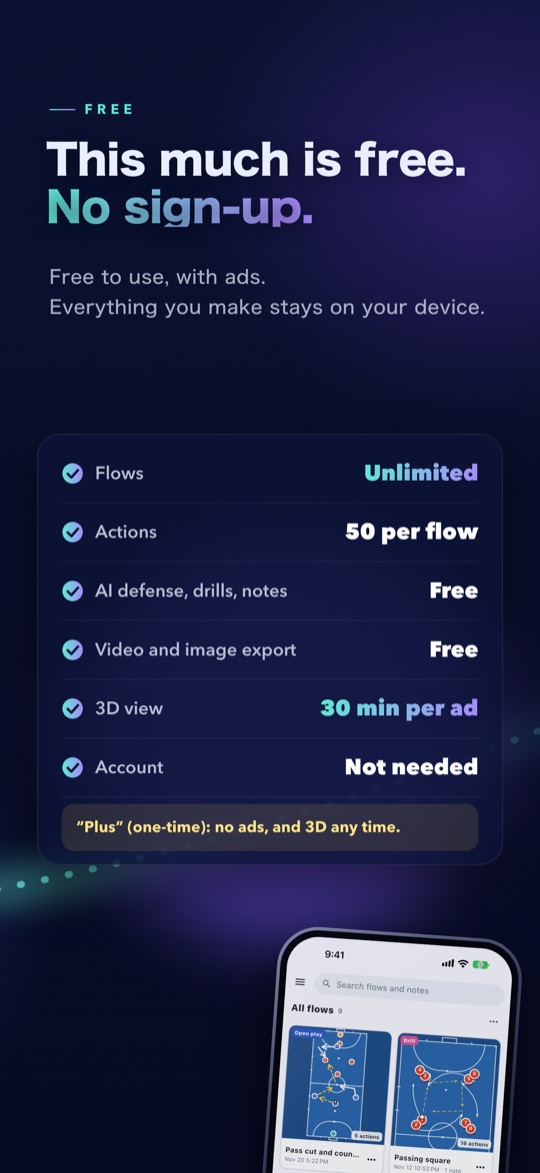
Start right away—no sign-up required. Your flows, teams, and players are saved locally on your device and never sent to a server.
Free
The app is free, supported by ads. Create as many flows as you like.
Hides banner and full-screen ads. 3D view unlocks anytime, with no video ads.
Hides banner and full-screen ads. 3D view still unlocks with a short video ad.
Every feature works without paying. No subscriptions.
Screenshots
FAQ
It's free to use, supported by ads. Create as many flows as you like, with up to 50 actions per flow. AI defense, drills, notes, and video/image exports are all free. You can unlock 3D view for 30 minutes across all flows by watching a short video ad. On iPhone and iPad, the one-time "Plus" purchase hides banner and full-screen ads and unlocks 3D view anytime with no video ads, while "Remove ads" (one-time) hides banner and full-screen ads (3D view still unlocks with a short video ad).
Open a flow and tap "3D" in the top-right corner of the board. Choose Angled, Behind goal, Sideline, Top-down, or Player view, then drag to rotate and pinch to zoom. Turn your phone sideways for a bigger view.
Your data is saved locally on your device, with no account or cloud sync. Go to Settings → Data in the app for how to move to a new device, or share individual flows using "Export file" and import them on your new device.
Go to Settings → Purchases → Restore purchases while signed in with the Apple Account used for the purchase.
Settings → Tutorial walks you through creating your first play. Interactive tutorials for interceptions and winning the ball are also included.
Japanese, English, Portuguese (Brazil), Spanish (Latin America), and Indonesian. The app follows your device's language automatically and uses English if none of these match.

Once installed, build your first flow with the tutorial and watch it in 3D.